Post
Managing AI Workflows in SDLC: A 2026 Guide
Managing ai workflows in sdlc: Learn how to manage AI workflows across your software development lifecycle.

Table of Contents
- What Managing AI Workflows in SDLC Actually Means
- AI's Role Across the Software Development Lifecycle
- AI Software Development Workflow Examples in Practice
- AI SDLC Security Best Practices and Implementation
- AI Governance Checklist for Software Teams
- AI Workflow Orchestration Tools and Integration Patterns
- Building Your AI Workflow Strategy: Adoption and Operations
- Frequently Asked Questions
Last Updated: October 4, 2026
What Managing AI Workflows in SDLC Actually Means
Managing AI workflows in SDLC means orchestrating autonomous agents, human developers, and automated checks across the entire software development lifecycle, from planning through deployment, while maintaining visibility, control, and audit compliance. It's not just about running AI agents; it's about integrating them into existing development processes in ways that actually reduce friction instead of creating it.
Most teams treat AI agents like a separate system. They bolt them onto existing workflows, hope the integration works, and then scramble when something breaks.
The stakes are high. An AI agent that gets stuck in a loop can block your entire deployment pipeline. Untracked agent decisions create audit nightmares. Uncontrolled API calls can leak sensitive code or prompts.
AI's Role Across the Software Development Lifecycle
AI agents now operate across every phase of the SDLC. Understanding where each tool fits, and where humans must stay in control, is the foundation of a resilient AI-driven development operation.
Planning and requirements with AI agents
AI agents handle requirements gathering and task management by parsing documentation, extracting requirements from tickets, and routing work to the right team members.
The key constraint: these agents need human approval before committing anything to your roadmap. An agent that auto-creates tickets without validation will flood your backlog with noise. Set up approval gates so humans review agent suggestions, confirm accuracy, and decide what actually moves forward.
Code generation and development workflows
AI-assisted code generation, whether through GitHub Copilot, Claude, or specialized coding agents, handles routine implementation work. The agent generates code, a developer reviews it, and if it passes review, it gets committed. This workflow works when developers treat the agent as a pair programmer, not as a replacement.
The mistake most teams make is skipping the review step. An AI-generated function might compile and pass basic tests, but it could introduce subtle bugs, miss edge cases, or violate your team's architectural patterns (A systematic literature review on the impact of AI models on the security of code...).
Testing, review, and deployment automation
AI agents can run test suites, analyze coverage gaps, and flag security issues before code reaches production. An agent that monitors your CI/CD pipeline can catch common problems, missing error handling, unvalidated user input, hardcoded secrets, and either fix them automatically or escalate to a developer.
Deployment automation with AI agents works best when the agent can execute routine deployments to staging environments, run smoke tests, and report results. Production deployments should still require human approval, especially for critical systems.
AI Software Development Workflow Examples in Practice
End-to-end workflow with human approval gates
A realistic AI-driven workflow looks like this:
-
Requirements phase: An AI agent parses customer feedback, support tickets, and roadmap docs. It suggests three user stories with acceptance criteria. A product manager reviews, edits, and approves. The agent creates the Jira tickets.
-
Development phase: A developer pulls the ticket. An AI coding agent suggests an implementation. The developer reviews the generated code, makes adjustments, and commits. The agent runs linting and basic tests.
-
Review phase: The pull request goes to another developer. An AI code review agent flags potential issues, missing error handling, security concerns, style violations. The human reviewer makes the final call on what needs fixing.
-
Testing phase: An AI test agent generates test cases based on the acceptance criteria. It runs them against the code. If coverage drops below your threshold, the agent flags it. A QA engineer reviews and decides whether the coverage is acceptable.
-
Deployment phase: The agent deploys to staging, runs smoke tests, and reports results. A DevOps engineer approves production deployment. The agent executes it and monitors for errors.
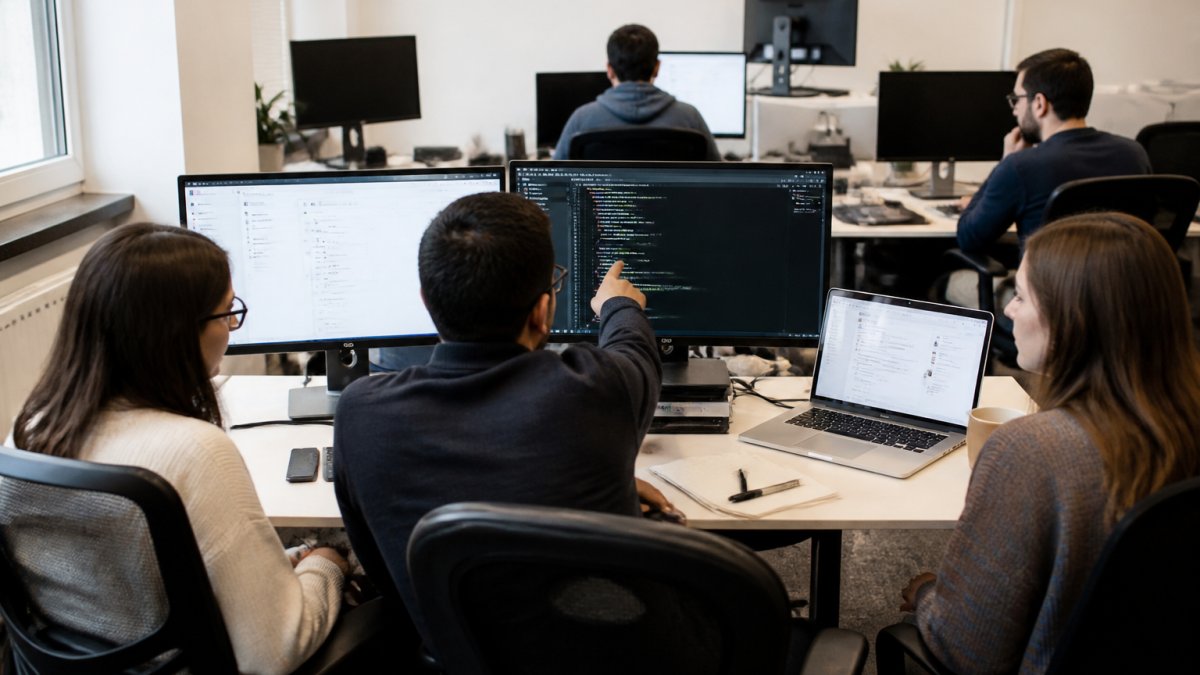
At each step, an AI agent handles the routine work, analysis, suggestion, testing, but a human makes the final decision. This is where managing AI workflows in SDLC differs from pure automation: you're not removing humans, you're amplifying them.
Orchestrating tasks across AI agents and developers
Real workflows involve multiple agents working in sequence. An AI planning agent creates tasks. An AI coding agent implements them. An AI test agent validates them. An AI security agent scans them.
This requires task orchestration, a system that routes work between agents, tracks status, handles failures, and escalates blockers. Without orchestration, you have isolated agents that don't communicate. With it, you have a pipeline.
AI SDLC Security Best Practices and Implementation
Security in AI-driven workflows has two dimensions: protecting your code and data from exposure, and ensuring AI agents don't introduce vulnerabilities.
Data privacy and on-premise code protection
The biggest security risk in AI workflows is sending your code, commit history, or prompts to external LLM APIs.
The solution: keep code and sensitive data on-premise. If you use cloud-based AI agents, ensure they operate on sanitized inputs, no secrets, no proprietary algorithms, no customer data.
Use API keys and authentication tokens that rotate regularly. Implement network segmentation so your AI agents can only access the systems they need.
Vulnerability scanning and secure integration
An AI agent that generates code can introduce security vulnerabilities, SQL injection, cross-site scripting, insecure deserialization.
Set up your CI/CD pipeline to run security scans on every commit. Tools exist that scan for known vulnerabilities, dependency issues, and common coding mistakes. A security engineer reviews and approves fixes before merging.
AI Governance Checklist for Software Teams
Governance means documenting how AI agents operate in your SDLC and ensuring compliance with your policies.
Audit trails and compliance requirements
Every decision an AI agent makes should be logged: what input it received, what it decided, what output it produced, and whether a human approved it.
If you're subject to SOC 2, ISO 27001, or regulatory compliance, you need to prove that your AI-driven workflows maintain control and accountability.
Document your AI governance policy: which agents operate in your workflow, what they're allowed to do, who approves their decisions, and how you handle failures.
Risk management and failure recovery
AI agents fail. They get stuck in loops, misinterpret instructions, or crash. You need a plan for when that happens.
Build in fallback procedures: if an agent stalls, escalate to a human. If an agent produces invalid output, route it to a review queue instead of executing it.
Test your failure scenarios. Simulate an agent crashing mid-deployment. Verify that your fallback procedure works. Make sure your team knows how to manually intervene if needed.
AI Workflow Orchestration Tools and Integration Patterns
Your AI agents don't exist in isolation. They need to integrate with your existing development stack: Jira, GitHub, Linear, deployment tools, monitoring systems.
Connecting Jira, GitHub, and your existing stack
An orchestration layer sits between your agents and your tools. It translates between different systems, routes tasks, and tracks status. If your planning agent creates a Jira ticket, the orchestration layer ensures the coding agent can read it.
This requires API integration and careful data mapping. Jira tickets have different fields than Linear issues. GitHub pull requests have different metadata than GitLab merge requests. The orchestration layer handles these differences transparently.
Custom integration is possible but expensive.
Monitoring and measuring workflow outcomes
You need visibility into your AI-driven workflows. How many tasks did agents complete? How many required human intervention? How many failed?
Set up monitoring dashboards that track agent performance, workflow throughput, and error rates. Use these metrics to identify bottlenecks and optimize your workflow.
Measure outcomes that matter: deployment frequency, lead time for changes, mean time to recovery from failures, and change failure rate.
Building Your AI Workflow Strategy: Adoption and Operations
Integrating AI into your SDLC is not a one-time project.
Start small.
Invest in training.
Establish clear ownership. Who is responsible for agent performance? Who approves agent decisions?
Review and iterate. Every quarter, analyze your workflow metrics. Are agents reducing manual work?
The goal of managing AI workflows in SDLC is not to automate everything.
Managing AI workflows in SDLC requires orchestration, oversight, and integration with your existing development stack.
Frequently Asked Questions
How do you manage AI workflows in the software development lifecycle?
Managing AI workflows in SDLC requires integrating AI agents across planning, code generation, testing, and deployment while maintaining human oversight. Set up approval gates at critical checkpoints, such as before code review and production deployment, so agents handle routine tasks while developers make final decisions. Use observability tools to track every agent action, from task routing to completion, ensuring visibility across your entire pipeline. Connect your agents to existing tools like Jira and GitHub so work flows seamlessly without manual handoffs. Establish clear governance rules for what agents can and cannot do, monitor their performance, and implement automatic recovery for stalled or failed agents.
What are the key security best practices for AI agents in SDLC?
AI SDLC security best practices center on three pillars: data isolation, vulnerability scanning, and access control. Keep code, prompts, and logs within your own infrastructure, especially with sensitive or proprietary systems. Scan agent-generated code for vulnerabilities before it reaches code review or production. Implement role-based access controls so agents only operate within their assigned scope and cannot modify configurations or bypass approval workflows. Use encryption at rest and in transit for all agent communications. Audit every action agents take so you have a complete trail for compliance and incident investigation.
How can teams audit AI-generated code and agent actions?
Create a complete audit trail by logging every step an agent takes: what task it was assigned, what it generated, what decisions it made, and who approved or rejected its output. Store these logs with timestamps and link them to the original ticket, pull request, and deployment. For non-deterministic AI models, focus on auditing the *process* and *decisions* rather than expecting identical outputs each time. Require human sign-off at critical gates, code review, security scan results, and production deployment, so every major action has a human-verified record. Use governance checkpoints to ensure agents follow your organization's standards and cannot bypass security or quality controls.
What does an AI governance checklist for software teams include?
An AI governance checklist for software teams should cover: defining which tasks agents can perform autonomously versus those requiring approval; setting data privacy and code protection rules; establishing security scanning requirements before deployment; creating audit logging for all agent actions; setting up failure detection and recovery procedures; defining escalation paths when agents encounter unexpected situations; assigning ownership of agent performance and compliance; and measuring outcomes like task completion rate, error rate, and rework. Review this checklist quarterly as your AI usage evolves and add controls based on new risks or compliance requirements.
How do you integrate AI agents with tools like Jira and GitHub?
Integrate AI agents with Jira and GitHub by connecting them through APIs so agents can read tickets, create branches, commit code, and update pull request status without manual intervention. Use task routing to automatically assign work to the right agent based on ticket type or priority. Set up webhooks so that when a pull request is created, the agent receives a notification and can trigger code review automation. Ensure data synchronization so that when an agent completes a task, the status updates in Jira and GitHub in real time. Keep your integration tool-agnostic so you can swap agents or add new tools without rewriting your workflow.
What are common failure modes when using AI agents in SDLC?
Common failure modes include agents becoming stalled waiting for external responses, crashing due to API errors, generating code that fails security scans, and getting stuck in retry loops. Implement proactive monitoring to detect these patterns early, before they delay your pipeline. Use self-learning models that recognize failure patterns and automatically recover by retrying with adjusted parameters, escalating to a human, or routing the task to a different agent. Set up alerts so your team knows immediately when an agent has failed, and establish a recovery procedure that doesn't require manual debugging every time. Document the most common failures and build automated fixes for them.
How do you measure the effectiveness of AI workflows?
Measure AI workflow effectiveness by tracking: task completion rate (percentage of work agents finish without human intervention), error rate (bugs or issues introduced by agents), rework rate (tasks agents complete but humans must redo), cycle time (how much faster agents complete tasks versus manual work), and developer time saved. Compare these metrics before and after adding AI agents to quantify productivity gains. Monitor agent reliability, how often they succeed, fail, or get stuck, to identify which agents need improvement or retraining. Track compliance and audit metrics like approval gate adherence and security scan pass rates. Use these measurements to justify continued investment and to identify where agents need better training or governance.