
AI-Optimized Composable Architecture
Executive summary of a modern multi-repo AI Architecture for Cybersecurity
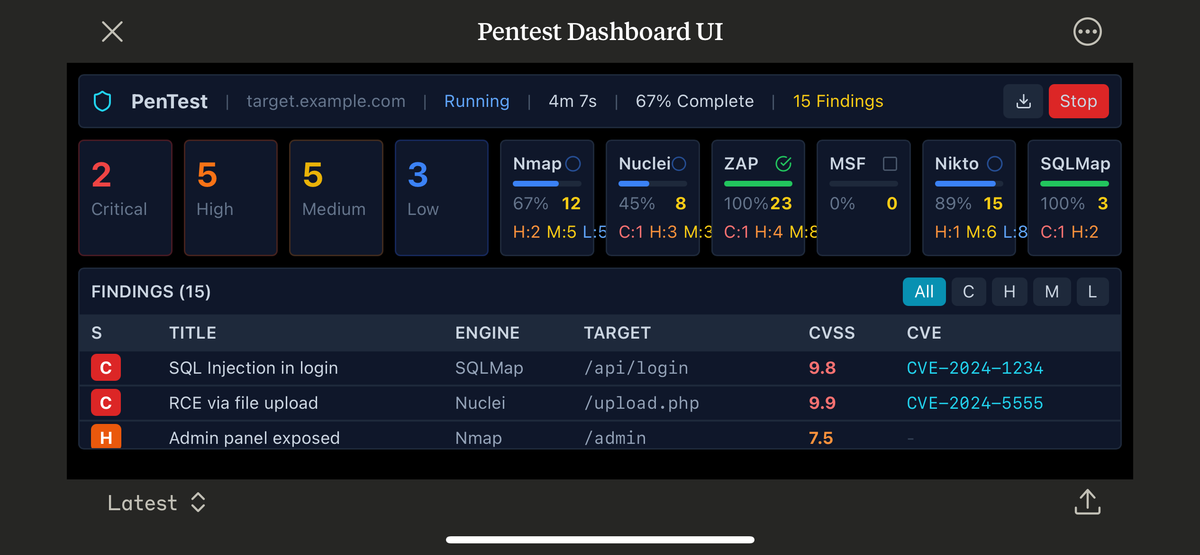
For: CTOs and Engineering Leaders
Source: Heimdall Architecture Case Study (Parts 1 & 2)
Context: Building enterprise applications that work effectively with AI coding assistants
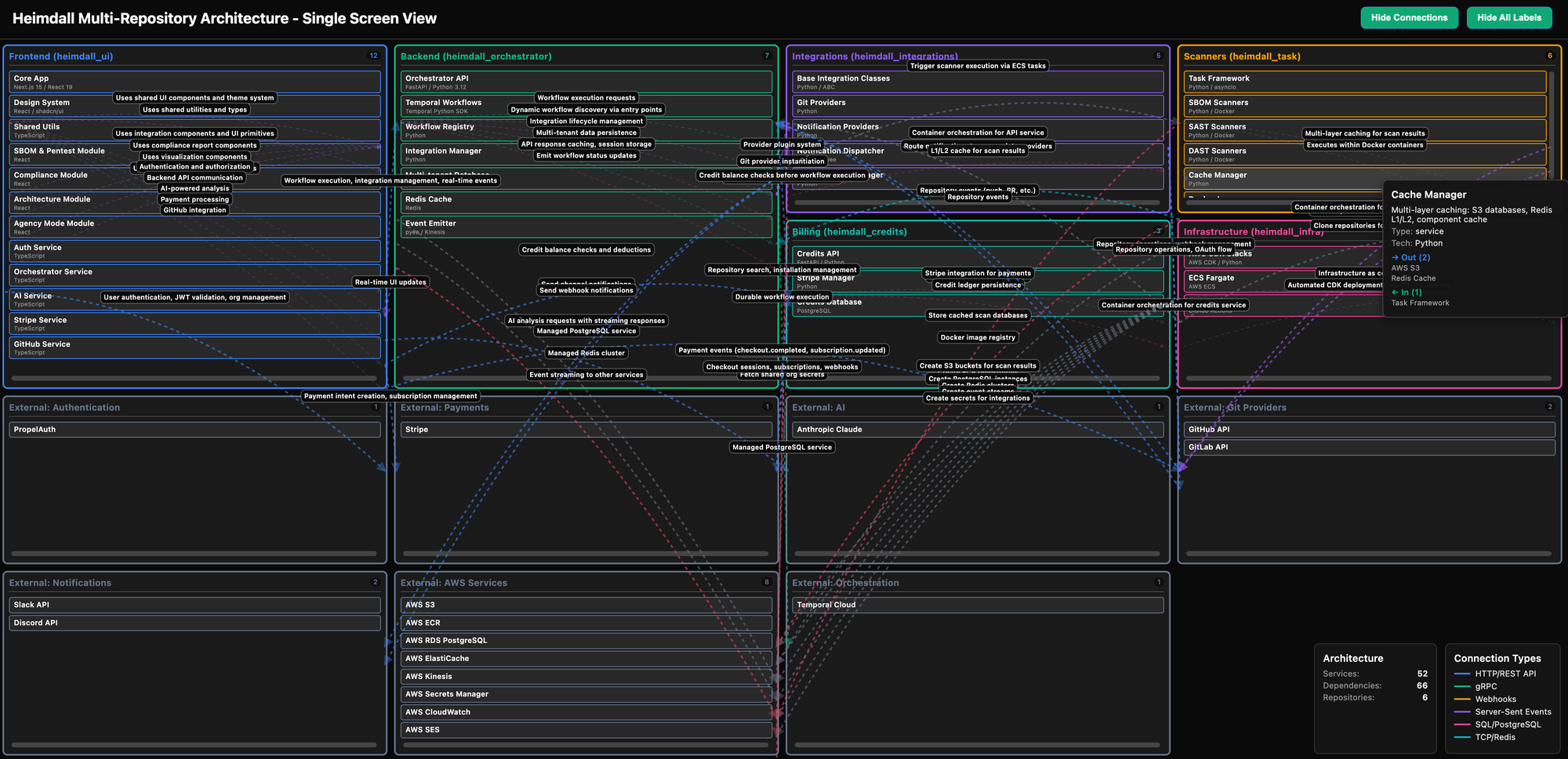
I'll update the above diagrams as I improve the rendering - currently its an explorable view instead of designed for snapshots.
Background
Heimdall is an AI Cybersecurity Suite covering Automated Pentesting, Code Quality, SBOM Assurance and certifications, with multiple future modules already in development.
This blog post is a summary of the two related posts https://blog.macleodlabs.ai/heimdall-ui-a-composable-architecture-part-1/ and https://blog.macleodlabs.ai/heimdall-ui-a-composable-architecture-part-2/ which cover lessons i've learnt and implemented during the creation of Heimdall app during the last 2.5 months working on it. During that time, I've rewritten the backend 4x and the FE twice, taking into account limitations of using various copilots as well as making the codebase easier to manage.
This hopefully showcases, how much is possible for a solopreneur to implement with AI coding in 2025, but also what the limitations are, and some strategies for (partially) mitigating them.
I haven't figured out a permanent solution to the coding at scale, except that only Claude Code with Sonnet 1m was able to make reasonable progress, and even that is mostly thrashing now, and the cost of USD $1 per minute makes this too expensive to be a long term solution.
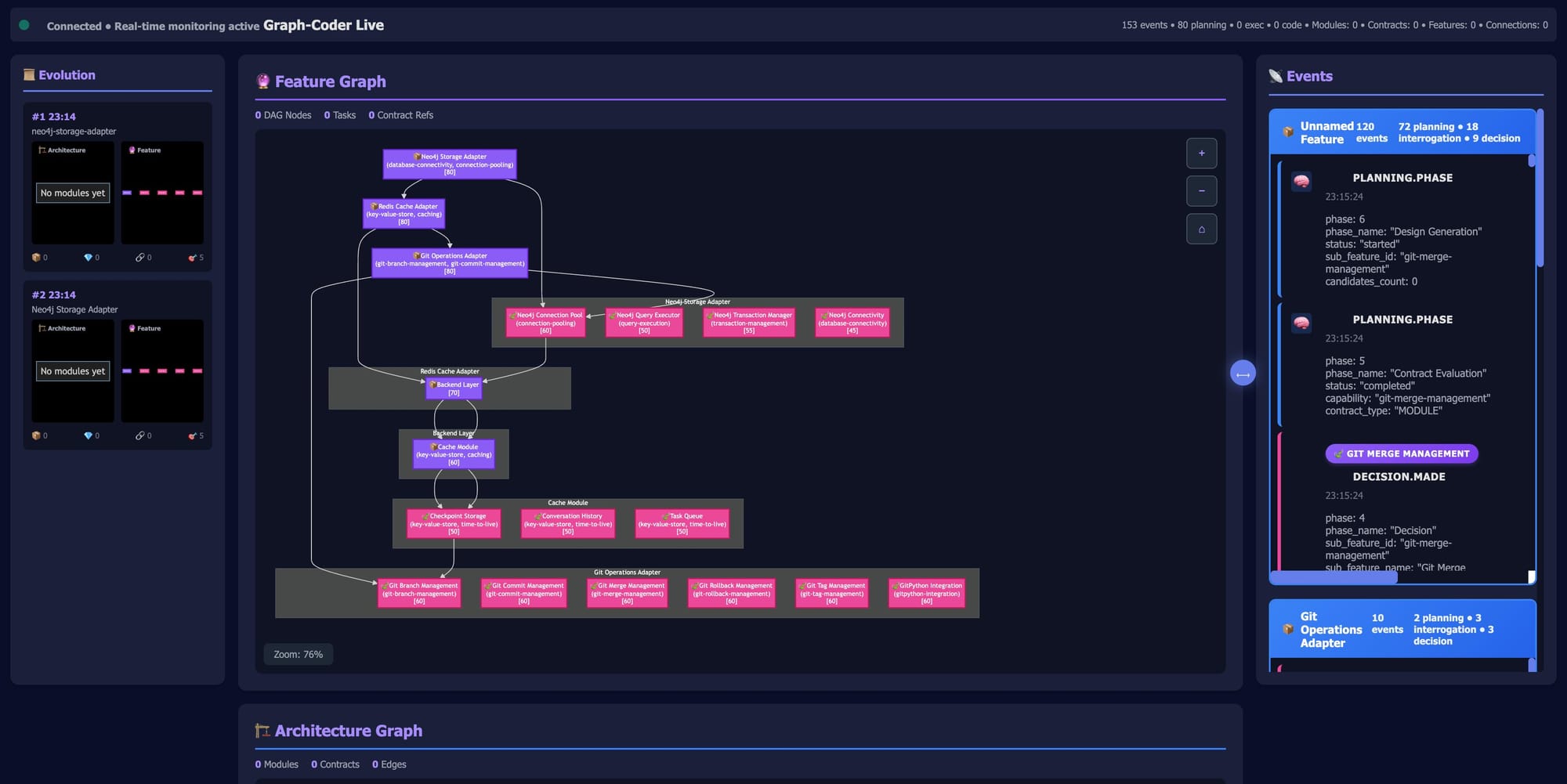
To that end, I've started another project which I'll write more about once I make progress on a distributed coding solution, which uses graph based coding agents to create a domain architecture based solution, called graphcoder.
The Core Problem
Modern AI assistants have 200K token context limits. Large codebases exceed this, causing:
- Context loss across repositories
- Inconsistent architecture decisions
- Repeated explanations of patterns
- Failed AI implementations due to incomplete understanding
Solution: Design architecture for AI comprehension, not just human developers.
Architecture Philosophy
Core Principle: Build for inevitable change, not current requirements.
In enterprise systems, integrations are the single largest point of churn. New providers, new services, new third-party APIs—these change constantly while core business logic remains stable.
The Philosophy:
- Pluggable: New functionality injects itself without modifying core
- Composable: Features combine without coupling
- Self-Discovery: System auto-discovers new components at runtime (backend) or build-time (frontend)
- Zero-Touch Core: Original codebase remains untouched during large additions
Why This Matters:
Traditional monolithic architectures force you to modify core files every time you add:
- A new integration provider
- A new dashboard widget
- A new workflow
- A new feature module
This creates:
- ❌ Merge conflicts when multiple teams work in parallel
- ❌ Regression risk (core code touched repeatedly)
- ❌ Cognitive overhead (understanding entire system to add one piece)
- ❌ Slow feature velocity (coordination bottleneck)
Our Approach:
When you add a new integration (🔌 GitHub, Slack, etc.):
- Create provider file with config schema
- Add entry point to
pyproject.toml - Done. System discovers it automatically. Zero core changes.
When you add a new feature module (🎨 Compliance AI, SBOM, etc.):
- Create module package with config
- Add import line to
init-modules.ts - Done. Registry handles the rest.
Why Different?
- Integrations: Expect 50+ (high churn) → Must be zero-touch
- Feature modules: Expect 15-20 (strategic) → Manual coordination acceptable at current scale
- Future: Feature modules move to separate repos with auto-discovery when scale demands
Result: Core framework code hasn't changed in months, yet we've added 7 integrations and 4 feature modules.
The Bet: Integrations will change 10x more than core logic. Build architecture that makes the frequent changes trivial.
Understanding the Architecture Icons
This document uses icons to indicate which parts of the Heimdall system each pattern applies to:
- 🎨 Feature Modules - Large feature sets in
heimdall_ui(e.g., Compliance AI, SBOM Analysis, Architecture AI) - 🔌 Integrations - Third-party provider connections (e.g., GitHub, GitLab, Slack, AWS)
- ⚙️ Workflows - Temporal workflows in
heimdall_orchestrator(Python) - 🌐 Universal - Principles that apply to all systems
Critical Distinction: Feature Modules vs Integrations
🎨 Feature Modules (Large Feature Sets):
- Examples: Compliance Reporting AI, SBOM & Pentest, Architecture AI
- Current: Manual registration in monorepo (
init-modules.ts) - Future: Separate repositories with full auto-discovery
- Why manual today: 4 large modules, monorepo simplicity
- Scale target: When 15-20+ modules, move to separate repos
🔌 Integrations (Third-Party Connections):
- Examples: GitHub, GitLab, Slack, Discord, AWS SES
- Current: Full auto-discovery via entry points
- Why auto-discovery: 7+ integrations, highest churn rate
- Scale target: 50+ integrations without core changes
The Key Insight:
- Integrations are the churn point → optimize for zero-touch additions
- Feature modules are strategic investments → controlled additions, manual coordination acceptable at current scale
- Both use identical architectural patterns (self-contained, declarative config)
- Implementation mechanism differs based on scale and churn rate
5 Core Patterns to Implement
1. Self-Contained Module Pattern 🌐
Target ~3,000 tokens per module. AI can load "entire architecture + 3-4 modules simultaneously."
Applies to: Feature modules, integrations, and workflows
Whether it's a large feature module (🎨 Compliance AI) or a small integration (🔌 GitHub), each is self-contained with its own config, components, and services.
// modules/my-feature/module.config.ts
export const myModule: HeimdalModule = {
  id: 'my-feature',
  version: '1.0.0',
  dashboardWidgets: [{ /* self-contained */ }],
  pages: [{ /* self-contained */ }],
  onLoad: async () => { /* init */ }
};

// Single registration point
registerModule(myModule);
Team Implementation:
- Break features into <500 line modules
- Self-register via uniform config pattern
- Eliminate cross-module dependencies
2. Schema-Driven UI Generation 🔌 → 🎨
Configuration forms auto-generate from JSON Schema. Never write forms manually.
Backend defines schema, frontend auto-generates forms
# Backend provider (Python)
class GitHubProvider:
    @property
    def config_schema(self) -> dict:
        return {
            "type": "object",
            "properties": {
                "installation_id": {"type": "string"},
                "webhooks_enabled": {"type": "boolean"}
            }
        }
Frontend automatically generates validation + UI. Reduces coordination from 7 files to 2.
Team Implementation:
- Define schemas in backend
- Use generic form renderer on frontend
- Schema changes auto-propagate to UI
3. Registration Pattern (Scale-Dependent)
Configuration exports are self-contained. Registration mechanism varies by component type and scale.
🎨 Feature Modules (Large Feature Sets):
// packages/compliance/src/module.config.ts
export const complianceModule = {
  id: 'compliance',
  name: 'Compliance AI',
  version: '1.0.0',
  dashboardWidgets: [/* ... */],
  pages: [/* ... */],
};

// packages/core/src/config/init-modules.ts
import { complianceModule } from '@heimdall/compliance';
registerModule(complianceModule);
Current State:
- Manual registration: One import + one call per feature module
- Why: 4 large strategic modules, monorepo benefits outweigh automation overhead
- Acceptable: Manual coordination is fine for controlled, strategic feature additions
Future State:
- Separate repositories per major feature (when 15-20+ modules)
- Plugin-style loading with
import.meta.globor similar - Each repo independently deployable
🔌 Integrations (High-Churn Connections):
# heimdall_integrations/pyproject.toml
[project.entry-points."heimdall.integrations.providers"]
github = "heimdall_integrations.providers.git.github:GitHubProvider"
slack = "heimdall_integrations.providers.communication.slack:SlackProvider"
Current State:
- Auto-discovery: Entry points enable zero-touch registration
- Why: 7+ integrations, adding more weekly, highest churn rate
- Critical: Must be trivial to add integrations without touching core
The Design Decision:
- Feature modules: Strategic, controlled additions → manual is fine (for now)
- Integrations: Tactical, high-churn additions → auto-discovery essential
- Both: Use identical config patterns, just different registration mechanics
- Future: Both will use auto-discovery when scale demands it
4. Convention Over Configuration 🌐
Establish uniform patterns AI learns once:
Applies to: All systems
packages/
├── [module-name]/
│   ├── module.config.ts       # Always named this
│   ├── pages/                 # Always here
│   ├── widgets/               # Always here
│   └── services/              # Always here
Team Implementation:
- Document conventions in CLAUDE.md
- Use linting to enforce patterns
- Create template generator scripts
5. Claude Skills (AI Workflow Templates) 🌐
Define repeatable workflows as YAML specs:
Applies to: All systems - each repo has .claude/skills/
# .claude/skills/add-module.skill.yaml
name: Add New Module
steps:
  - Read spec_kit/module_template.ts
  - Ask user for module details
  - Substitute placeholders
  - Create module.config.ts
  - Register in init-modules.ts
Team Implementation:
- Create
.claude/directory structure - Document common workflows as skills
- Provide working examples in spec_kit/
Multi-Repository Coordination (🎨 + 🔌 + ⚙️)
Problem: AI sessions are repo-scoped. How to maintain consistency?
Solution: Define contracts at boundaries:
# heimdall_integrations (contract definition)
class BaseIntegration:
    @property
    @abstractmethod
    def config_schema(self) -> dict:
        """Contract: JSON Schema for this provider"""
// heimdall_ui (contract consumer)
const schema = await fetch('/api/integrations/github/schema');
<DynamicForm schema={schema} />  // Generic renderer
Each repo has:
CLAUDE.md- Architecture guide for AI.claude/skills/- Repo-specific workflows.claude/spec_kit/- Templates and examples
Key Technical Implementation Details
1. JSON Schema → UI Forms (The Killer Feature)
The Innovation: Never write integration forms manually.
Backend defines schema:
# heimdall_integrations/providers/git/github.py
class GitHubProvider:
    @property
    def config_schema(self) -> dict:
        return {
            "type": "object",
            "properties": {
                "installation_id": {
                    "type": "string",
                    "description": "GitHub App installation ID",
                    "pattern": "^[0-9]+$"
                },
                "webhooks_enabled": {"type": "boolean", "default": True}
            },
            "required": ["installation_id"]
        }
Frontend auto-generates form:
// You never write this - it's automatic!
<DynamicConfigForm schema={githubSchema} value={config} onChange={setConfig} />
Eliminates: Manual React forms, validation logic, type definitions, state management, error handling = 7 files → 1
This is why integrations are 10-15x faster.
2. Entry Points (Backend Auto-Discovery)
Define once:
# heimdall_integrations/pyproject.toml
[project.entry-points."heimdall.integrations.providers"]
github = "heimdall_integrations.providers.git.github:GitHubProvider"
slack = "heimdall_integrations.providers.communication.slack:SlackProvider"
Available immediately:
from heimdall_integrations import get_registry
registry = get_registry()  # Auto-loads all entry points via importlib.metadata
github = registry.get_provider("github")  # Works instantly
Zero manual registration. Works for providers (🔌) and workflows (⚙️).
3. Module Registry (Feature Modules)
Define module with full capabilities:
// packages/compliance/src/module.config.ts
export const complianceModule: HeimdalModule = {
  id: 'compliance',
  name: 'Compliance AI',
  version: '1.0.0',

  // Dashboard widget
  dashboardWidgets: [{
    id: 'compliance-summary',
    component: () => import('./widgets/ComplianceSummary'),
    size: 'large',
    order: 1
  }],

  // Dashboard navigation
  dashboardMenuItem: {
    id: 'compliance-nav',
    labelKey: 'compliance',
    href: '/compliance',
    icon: Shield,
    order: 2
  },

  // Landing page showcase (auto-appears on homepage!)
  showcase: {
    enabled: true,
    title: 'Compliance Reports',
    description: 'AI-powered GDPR, NIS2, ISO27001 compliance',
    component: () => import('./showcase/ComplianceShowcase'),
    order: 2
  },

  // Full pages
  pages: [
    { path: '/compliance', component: CompliancePage },
    { path: '/compliance/gdpr', component: GDPRReport }
  ],

  // Lifecycle
  onLoad: async () => console.log('Compliance module loaded')
};
Register once:
// packages/core/src/config/init-modules.ts
import { complianceModule } from '@heimdall/compliance';
registerModule(complianceModule);
What happens automatically:
- ✅ Dashboard widget appears in user dashboard
- ✅ "Compliance" menu item added to navigation
- ✅ Landing page showcase auto-appears on homepage
- ✅ Routes registered for
/complianceand/compliance/gdpr - ✅ Lifecycle hooks called on load/unload
Zero configuration needed. Module declares what it needs, registry wires everything together.
4. Type Safety (AI Guardrails)
// AI tries invalid config
export const badModule = {
  dashboardWidgets: { component: MyWidget }  // ❌ Should be array
};
// TypeScript error immediately: Type '{}' is not assignable to 'ModuleDashboardWidget[]'
AI gets instant feedback before runtime.
Observed Results
Note: These are observed development times, not controlled measurements. Actual times vary by complexity and developer familiarity.
| Task | Traditional Approach | Composable Approach | Improvement |
|---|---|---|---|
| New feature module | ~2-4 hours | ~1-2 hours | ~2-3x faster |
| New integration | ~4-6 hours | ~15-30 min | ~10-15x faster |
| New widget | ~30-60 min | ~5-15 min | ~4-6x faster |
| AI success rate | Estimated 40-60% | Estimated 85-95% | Significant improvement |
What "faster" means:
- Feature modules: Less boilerplate, registry handles wiring, clearer patterns
- Integrations: Schema-driven UI generation eliminates 4-5 files, entry points eliminate manual registration
- Widgets: Reusable patterns, type-safe registry, auto-discovery by dashboard
Caveat: These are development-time observations from building Heimdall, not scientific benchmarks. Your mileage may vary based on team experience and feature complexity.
Pros & Cons
✅ Advantages
For AI Assistants:
- Entire modules fit in context window
- Patterns learned once, applied everywhere
- Predictable file locations eliminate exploration
- Self-documenting via types and conventions
For Development Teams:
- Faster feature development (10-16x)
- Consistent architecture across features
- Reduced onboarding time (patterns are uniform)
- Less manual coordination (auto-discovery for integrations, simple imports for features)
For Maintenance:
- Changes isolated to single modules
- Schema changes auto-propagate to UI (🔌 → 🎨)
- i18n automated (44 languages in 2 minutes) 🎨
- Less technical debt accumulation
❌ Challenges
Initial Investment:
- Upfront work to establish patterns
- Need to document conventions thoroughly
- Requires discipline to maintain uniformity
Team Adoption:
- Developers must learn "AI-first" thinking
- Some feel over-constrained by conventions
- Initial resistance to "design for AI"
Technical Constraints:
- Must maintain strict module boundaries
- Can't have circular dependencies
- Requires rigorous schema versioning
Scaling Considerations:
- Works best for 5-50 modules (tested range)
- Unknown scaling beyond 100+ modules
- May need sub-registries for large systems
Implementation Roadmap for CTOs
Phase 1: Foundation
- Establish monorepo with package workspaces (pnpm/Turborepo/Nx)
- Create module registry pattern
- Define base interfaces (HeimdalModule, BaseProvider)
- Document conventions in CLAUDE.md
Phase 2: Patterns
- Implement JSON Schema → UI generation (🔌 → 🎨)
- Set up entry point auto-discovery (🔌 ⚙️ backend only)
- Create first Claude Skills (add-module 🎨, add-integration 🔌)
- Build spec_kit/ with 2-3 working examples
Phase 3: Migration
- Refactor 2-3 existing features into new pattern
- Measure AI success rates with new structure
- Train team on patterns and AI workflows
- Document lessons learned
Phase 4: Scale
- Apply pattern to all new features
- Gradually migrate legacy code
- Expand Claude Skills library
- Optimize based on AI feedback
Key Architectural Decisions
Use Monorepo 🎨 (Feature Modules)
Why: AI can see entire feature set in one session, simplified coordination at 4-module scale
How: Turborepo + pnpm workspaces
Trade-off: Slower CI/CD vs. better AI comprehension
Future: Separate repos per feature when 15-20+ modules
Use Schema-Driven Generation 🔌 → 🎨
Why: Single source of truth, auto-propagation
How: JSON Schema in backend, generic form renderer in frontend
Trade-off: Less UI customization vs. zero coordination overhead
Use Convention Over Configuration 🌐
Why: AI learns patterns, not specific implementations
How: Strict folder structure, naming conventions
Trade-off: Less flexibility vs. predictability
Use Scale-Appropriate Registration Patterns
🎨 Feature Modules (Manual for now): Export config, one import line, acceptable at 4-module scale
🔌 Integrations (Auto-Discovery): Entry points in pyproject.toml, zero-touch at 7+ integration scale
⚙️ Workflows (Auto-Discovery): Entry points, enabling dynamic deployment
Trade-off: Simplicity vs. extensibility, chosen per component type based on expected scale and churn rate
Evolution Path: Feature modules will adopt auto-discovery when moving to separate repos (15-20+ modules)
Success Metrics to Track
AI Efficiency:
- Time to complete feature with AI assistance
- AI success rate (% of implementations that work first try)
- Number of AI iterations needed per feature
Code Quality:
- Architecture consistency score (linting)
- Dependency graph complexity
- Module size distribution (target <500 lines)
Development Velocity:
- Time to add new module
- Time to add new integration
- Time for onboarding new developers
Bottom Line
The insight: Traditional architecture optimizes for human comprehension (abstraction, DRY, inheritance). AI-optimized architecture prioritizes pattern recognition over deep understanding.
The approach: Small modules, uniform conventions, declarative configuration, schema-driven generation.
The payoff: 10-16x faster development with 90%+ AI success rates, while maintaining human developer velocity.
The cost: Upfront investment in patterns + ongoing discipline to maintain conventions.
Recommended for: Teams building with AI assistants, enterprise applications >100K LOC, or systems requiring frequent feature additions.
Not recommended for: Small projects (<10K LOC), teams resistant to constraints, or systems requiring maximum architectural flexibility.
Reference Implementation
- Code: macleodlabs-ai/heimdall_ui
- Documentation: See CLAUDE.md, ARCHITECTURE_VERIFIED.md in repo
- Dependency Graph: HEIMDALL_DEPENDENCY_GRAPH_COMPACT.html (interactive visualization)
Questions for your team:
- What percentage of your development uses AI assistants today?
- How often does AI lose context or make inconsistent architectural decisions?
- Could 10x faster feature development justify the upfront pattern investment?
- Do you have 5+ features that follow nearly identical patterns?
- Would your team embrace or resist AI-first architectural constraints?
If 3+ answers indicate AI challenges or repetitive patterns, this architecture is worth piloting with 2-3 new features.